
POCO X8s: Specifications That Matter for Students
Understand POCO X8s display, battery and camera specifications, then check Pakistan availability, warranty and total cost before buying.
The POCO X8s specification sheet describes a compact phone with a 6.35-inch AMOLED display, Snapdragon 7 Gen 4 platform and a 6,330mAh typical battery capacity. Those figures help identify the device, but a student phone should be judged by whether it handles actual study tasks comfortably and can be supported locally. A global product page does not establish a Pakistan price or local warranty.
The most useful buying process is therefore task first, specification second. Test a PDF, a video call, document capture and your essential learning apps before deciding which headline number matters. This checklist translates the manufacturer's published information into practical questions. It is a source-based buying guide, not a claim that this particular handset has been tested hands-on for the article.
Which display figures matter for reading and lessons?
Display size, resolution, brightness and refresh rate describe different things. The POCO X8s global page lists a 2656 by 1220 panel and an adaptive refresh range up to 120Hz. For study, the decisive question is whether your own documents remain readable at a comfortable text size and viewing distance.
Open a page with small labels, equations and a two-column layout. Read it for several minutes rather than merely checking that it loads. Note how often you zoom, lose your place or rotate the phone. A compact display may be easy to carry while offering less room for side-by-side work.
Test split-screen only with the applications you actually intend to use. A browser beside a notes app can be useful, but shrinking both windows may make neither comfortable. Do not assume that a feature name guarantees a practical workflow on every screen or with every app combination.
Brightness claims need their test conditions. A peak figure is not necessarily sustained across a full white document during a long outdoor session. Compare readability in the light you expect to use, including reflections, text contrast and your preferred settings. Avoid choosing a phone solely because one advertised number is larger.
Accessibility settings can change the experience substantially. Try font size, display scaling and captions before rejecting or endorsing the screen. A useful purchase note records the actual task and setting, such as readable equations at your chosen font size, rather than repeating that the panel looks vivid.
How much battery and charging performance do you need?
Battery capacity is one input to endurance, not a promise of identical runtime for every user. The manufacturer's global page lists a 6,330mAh typical capacity and 100W charging support, with conditions attached. Your signal, screen use, applications and charging accessories influence the experience you should expect.
Write a realistic study day: travel, messages, downloaded reading, a lesson video and an online class. Estimate when a socket will be available. This turns battery evaluation into a practical requirement. A person with regular charging access faces a different problem from someone spending the whole day away from power.
Check the exact adapter and cable supplied in the local box. The manufacturer says availability can vary by market. A charging label does not mean any charger will produce the advertised maximum, and an omitted compatible adapter changes the total cost. Ask the seller to identify included accessories on the invoice.
Thermal conditions matter during charging. Xiaomi's guidance recommends ventilation and avoiding fabrics that trap heat. Use the device according to its instructions rather than deliberately reproducing an extreme test. If charging is needed between classes, consider where the phone can rest safely without being covered by books or clothing.
Do not compare an overseas laboratory runtime with a friend's mixed-use experience as though both were controlled tests. Instead, look for a credible test description or use a return window to assess your own routine. The student study-calendar guide can help identify the daily sessions the device actually needs to support.
Which RAM and storage choice is sensible?
Choose RAM for the application workload and storage for the material you need to keep, while checking the exact regional variant. The global sheet lists two memory configurations, but that does not establish local availability. Confirm the version on the device and invoice before comparing seller prices.
RAM and storage are different resources. Keeping several apps active concerns memory pressure; saving downloaded lessons and recordings concerns storage space. A seller advertising a large combined memory number should still specify the physical RAM and actual storage configuration rather than leaving the distinction unclear.
Make a simple inventory of your files. Include offline videos, scanned notes, photos, messaging media and application downloads. Add room for future coursework and updates. Usable storage will be lower than the nominal total because the operating system and preinstalled software occupy space.
For a fictional planning example, a student keeping twenty gigabytes of lessons, ten of recordings and fifteen of other files already needs forty-five gigabytes before new applications and future work. The point is the method, not a required storage tier. Your own inventory may be much smaller or larger.
Ask how you will move and back up material. A device with more space can still become disorganised if every chat attachment is retained indefinitely. Establish folders, periodic cleanup and a backup plan. Reliable access to the right notes during a class can matter more than unused capacity purchased because a higher number sounded safer.
What should a student test in the cameras and audio?
Test document capture, focus, speech clarity and call reliability rather than judging the system by megapixels alone. The published camera arrangement includes main, telephoto and ultra-wide modules. For study, a readable page or whiteboard photograph is often more valuable than an impressive-looking specification without a practical example.
Photograph a page containing fine print and a diagram. Inspect the centre and corners, not just the thumbnail. Look for readable symbols, distorted edges, glare and shadows. Try the document mode if available, then compare its result with a straightforward photograph in the same light.
For a whiteboard, stand at the distance you would normally occupy in class. Check whether the text remains legible and whether autofocus chooses the board rather than a foreground object. A telephoto option can be useful for framing, but its mere presence does not guarantee readable results in every classroom.
Record a short spoken explanation and listen through the speakers and your usual headphones. Then make a video call with the service you need for lessons. Check microphone clarity, background noise, speaker audibility and camera framing. These are tasks to test, not performance results this guide claims to have measured.
Keep privacy in mind when practising. Use your own notes or obtain permission before photographing classmates or recording a lesson. A camera that captures clear material is useful only when the resulting files can be stored and shared appropriately. The same applies to screenshots containing names, grades or account information.
How should you assess performance beyond a benchmark?

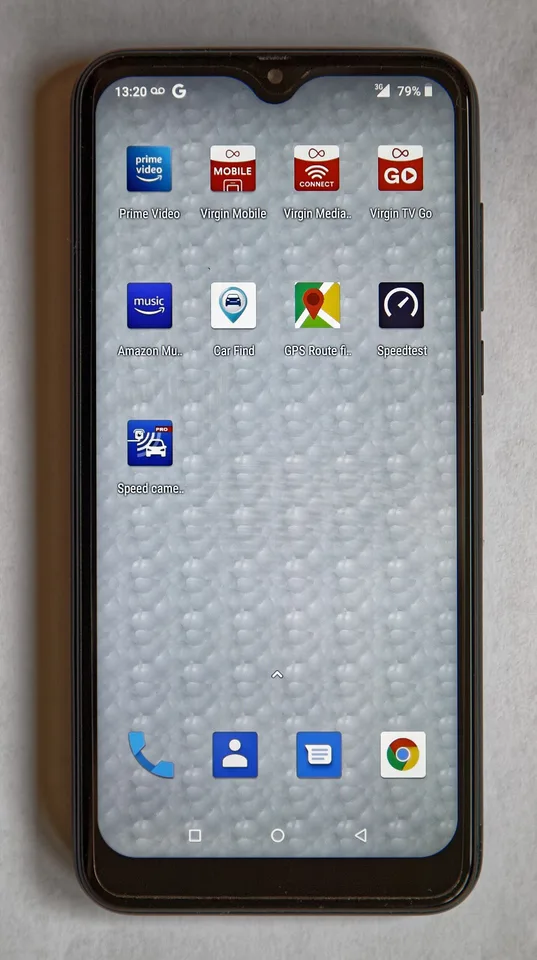
An illustrative phone-camera setup supports testing framing and capture tasks; the pictured device is not identified as a POCO X8s.
Use the applications and transitions that matter to your day. A benchmark can describe a controlled workload, but it does not replace testing a browser, document viewer, notes app and call together. The relevant question is whether the phone stays responsive during the tasks you actually need.
Create a ten-minute test sequence. Open a large PDF, search inside it, switch to a notes app, return to the document and join a short call. Observe loading, text reflow and whether your place is preserved. Repeat with your normal notification settings so the exercise resembles real use.
Avoid treating chipset naming as a complete ranking. Software, memory configuration, storage behaviour and thermal conditions affect the experience. A faster peak result in an unrelated workload may have little practical value if your main activity is reading and submitting assignments.
Match the requirement to a test
| Student need | Useful check | Weak substitute |
|---|---|---|
| Reading | Your actual textbook page | A colourful home screen |
| Online classes | A call on your chosen app | A camera megapixel count |
| Note-taking | Switch between your real apps | A single peak benchmark |
| Offline learning | Download and reopen a lesson | Nominal storage alone |
| Carrying all day | Hold it with the intended case | Dimensions without handling |
If you also need substantial typing, coding or complex spreadsheets, compare the phone with access to a keyboard-equipped device. The new MacBook Pro checklist covers a different product class, but its task-first approach helps distinguish a mobile companion from a complete replacement for longer-form work.
What should you verify before paying in Pakistan?
Verify the exact handset, IMEI status, seller documentation, network compatibility and warranty through the relevant official channels. Pakistan's DIRBS framework concerns devices operating on local mobile networks. A global specification listing or a seller's verbal assurance should not substitute for checking the specific unit you intend to buy.
Match the IMEI shown by the device with its packaging and paperwork, then use the official verification process. For a device with multiple identifiers, verify the relevant identifiers rather than assuming one result describes every SIM arrangement. Keep the original record privately; it is not information to publish in a review.
When comparing specifications, include a USB-C accessory check and separate Wi-Fi from mobile data performance. Ask about PTA verification for the actual unit.
Network bands and service availability also need local confirmation. A phone supporting a technology does not guarantee that your carrier, package and location provide it. eSIM availability can depend on the region and operator. Ask the operator about the exact device and service rather than relying on a generic 5G label.
Request written warranty terms, repair arrangements and a return policy. Establish who handles a fault, where the device is sent and what documentation is required. A shop warranty and a manufacturer's local warranty may involve different processes, so use the actual wording rather than assuming they are equivalent.
Compare the final payable amount, including necessary accessories and any applicable registration costs established through official processes. This guide supplies no estimated tax or Pakistan launch price. A converted overseas price is not a complete local quotation and can conceal costs that materially change the purchase decision.
What software and security questions should you ask?
Ask about the operating system, documented software support, security updates and recovery options for the exact model and region. The specification sheet names HyperOS, but a launch software label is not a published promise of a particular update duration. Obtain the current support commitment rather than inventing one from another device.
Android's official help explains that system and security-update information can be checked in Settings, while schedules vary by manufacturer, device and carrier. Inspect those fields on the unit you are considering. A seller saying the phone is updated should be able to show the relevant version and security status.
Set a screen lock, establish account recovery and plan backup before filling the phone with irreplaceable coursework. Test restoring one ordinary file so the process is familiar. A backup that has never been checked can create confidence without establishing that the material is actually retrievable.
Review application permissions and install software through trusted routes. An app used only to view a timetable should not casually receive unrelated access without an understandable reason. The account safety guide discusses how credentials, device security and connected services interact, a useful lesson beyond any one financial application.
Also ask what happens when the device needs repair. Know how you will preserve data, sign out where appropriate and maintain access to essential accounts. Long-term usefulness depends on those practical arrangements as well as the number of features available on the first day.
How can you make the final buying decision?
Make a shortlist based on essential tasks, compare the same documented costs and choose only after the specific unit passes the checks that matter to you. A successful purchase is a supported tool for learning, not the handset with the largest number in every specification category.
Divide your requirements into essential and optional. Readable course material, working calls, sufficient space and dependable local support may be essential. A particular colour or a higher peak refresh setting may be optional. Decide those priorities before seeing a promotional bundle so the offer does not redefine your needs.
Use a simple decision sheet with task, evidence, unresolved question and cost. For example, note that a PDF was readable in your chosen app, but local repair coverage still needs written confirmation. This keeps a pleasant demonstration from hiding a practical issue that remains open.
Consider keeping an existing device if it already meets the essential requirements. You can improve a learning setup through file organisation, a suitable stand or better access to a shared computer without necessarily changing phones. Compare the actual problem solved by each option.
The POCO X8s has a published global specification that can be evaluated carefully. What remains personal is the fit between that specification, your study routine and the local purchase terms. Resolve those details with evidence, then choose on the basis of useful daily work rather than a collection of untested promises.
Retain the decision sheet and receipt after purchase. During the return period, repeat the same reading, calling and file-access tasks so any concern is described precisely while the seller's agreed process is still available.
Sources
Source 1 · Source 2 · Source 3 · Source 4 · Source 5 · Source 6
Image credits: Cover: Acabashi, source, CC BY-SA 4.0. Resized and converted to WebP. Article image: PantheraLeo1359531, source, CC BY 4.0. Resized and converted to WebP.
Found an error or an outdated detail? Report a correction with the article URL and original source.